
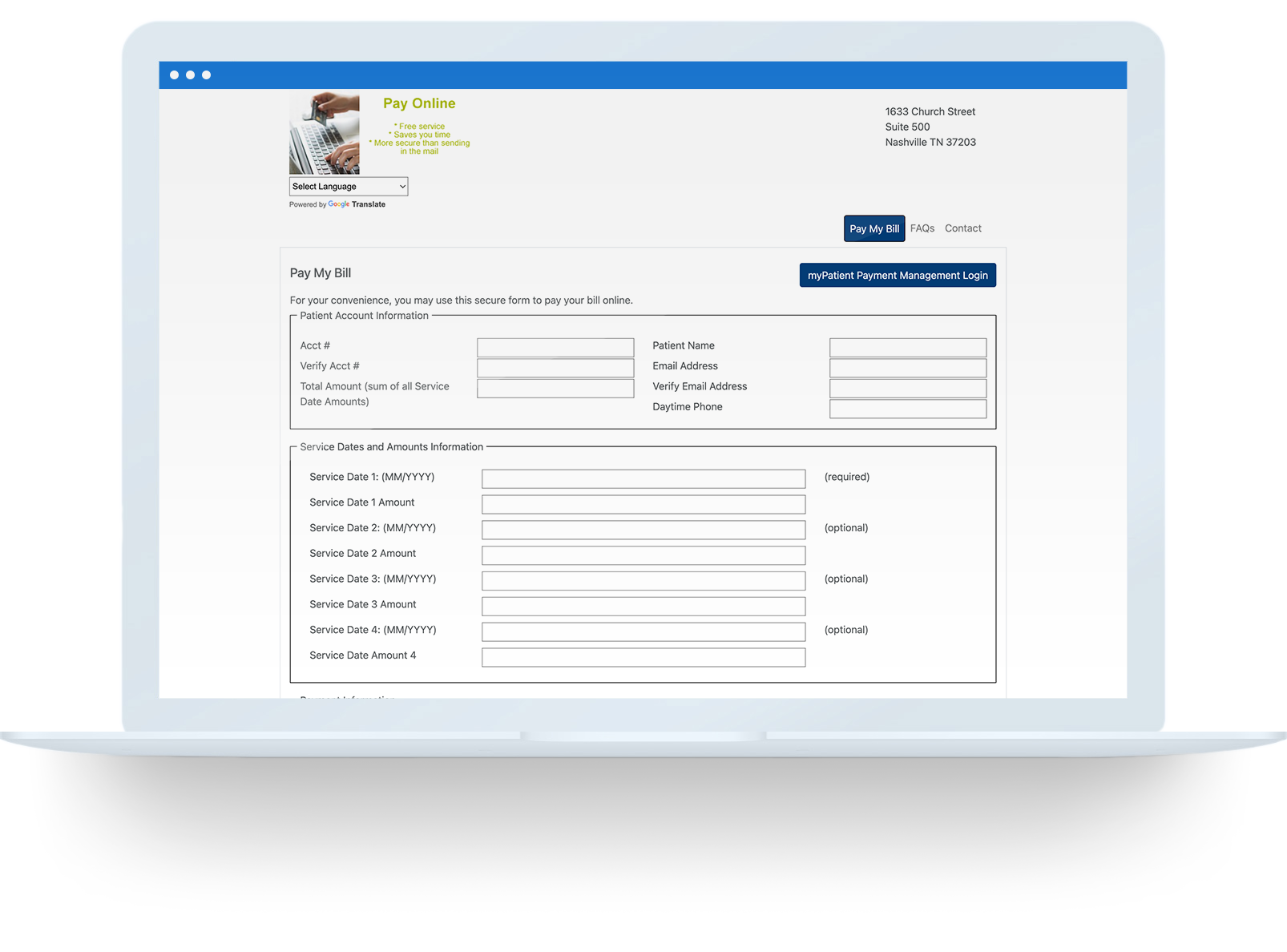
Pay My Bill

You can now pay your DCI medical bill online!

Pay My Bill Portal

Complete your payment with these steps:

1

Click the “Pay My Bill Portal” button above to visit the online payment portal.
2

Fill out all patient account information.

  • Enter your account number as it appears on your billing statement
    NOTE: If you are a transient patient visiting DCI, your account number will be the six digit clinic number followed by six zeros. For example: 000001-000000
3

Fill out the service dates and amounts you wish to pay.

  • You can pay up to four dates of service at one time.
4

Enter your payment information.
5

Check the box to receive an emailed receipt.
6

Check the box to confirm you’re a human.
7

Click process to complete your transaction or reset to start over again.

Security is our utmost priority. Payment methods and information are always secured and protected, leveraging the following:

  • A Secure Socket Layer (SSL) certificate
  • Encrypted data behind a secure firewall
  • Payment Card Industry (PCI) compliance
  • Secure merchant account gateway
  • A Tier 4 data center
Privacy Overview

This website uses cookies so that we can provide you with the best user experience possible. Cookie information is stored in your browser and performs functions such as recognising you when you return to our website and helping our team to understand which sections of the website you find most interesting and useful.